


DaVinci - AI Image Generator
3.67.86K Reviews
App Specs
- Version
- 5.0.3
- Updated On
- License
- Free
- Downloads
- 10,000,000+
- Developer
- HubX
- Categories
- Art & Design
- Platform
- Android, iOS
Screenshots
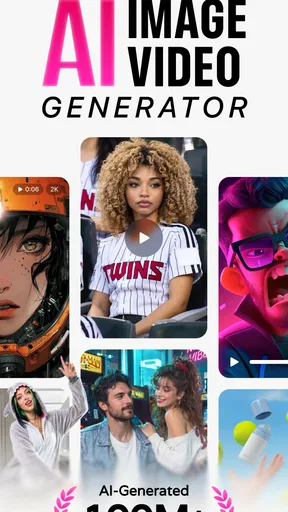
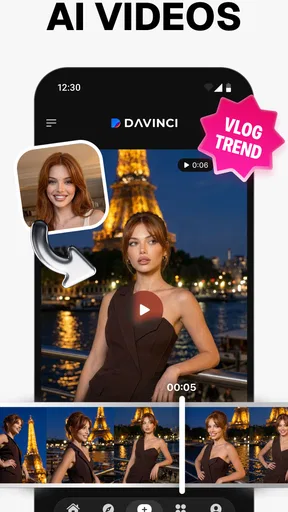
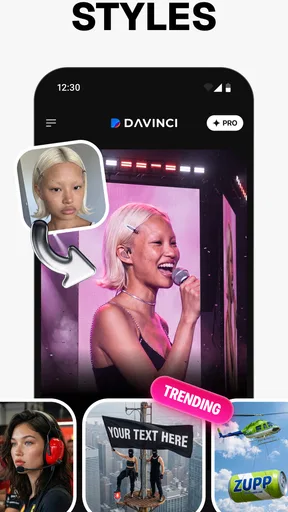
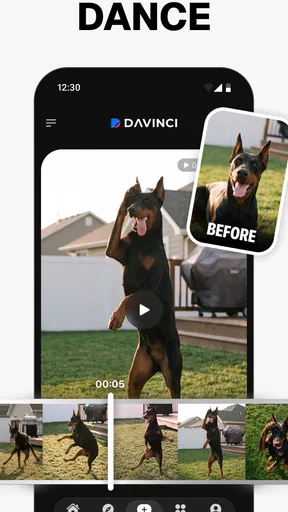
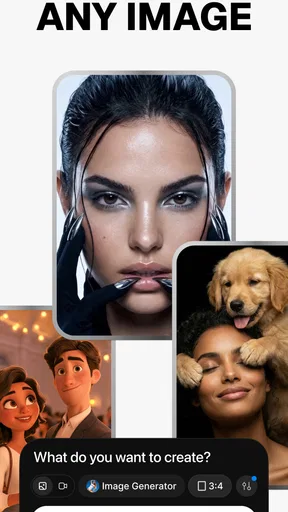
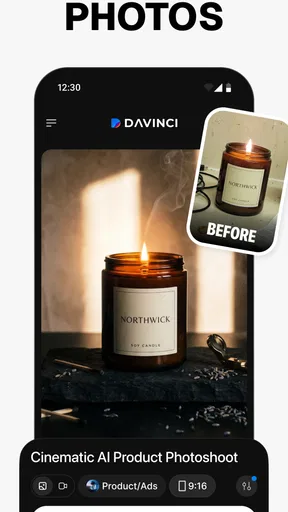
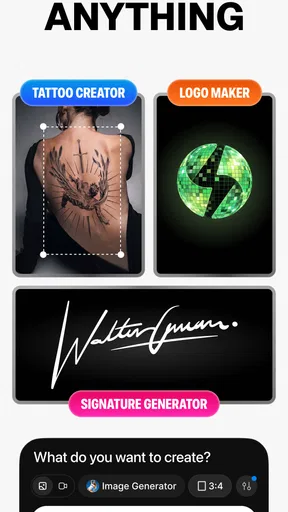
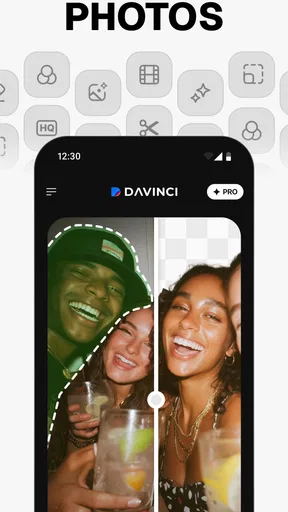
 Analysis by AppCompare
I treat an AI art app as a sketch partner, not a magic button: the useful part is being able to test a visual idea quickly, then decide whether it is worth developing further. DaVinci - AI Image Generator, made by HubX, is built around that simple exchange: I describe what I want to see, and the app turns the prompt into an image. It sits in the art and design category, and its appeal is easy to understand if you enjoy experimenting but do not want to begin every idea with a blank canvas.
What to expect from the pace
Text-to-image creation sounds immediate, but I would approach it with flexible expectations. A short prompt can be quick to write, while getting an image that actually matches your intention may take more thought and another attempt. The app’s store description presents it as a way to turn words into artwork; that does not mean every result will arrive instantly or be right on the first try. I find it more useful to think in terms of a fast idea loop: describe, inspect, adjust, and decide whether the result is worth keeping.
That distinction matters when you are working against a deadline. For a mood-board image or a playful concept, a few rounds of exploration can be part of the process. If you need a precise, production-ready asset at a fixed moment, I would keep a conventional design tool or a prepared image handy rather than relying on a generative result as the only option. The best speed advantage here is reducing the time between having an idea and seeing one possible version of it.
Where repeated use pays off
The app is more appealing when the goal is to explore a direction than when every detail has to be controlled. I would use it to compare broad visual moods for a personal project, create a starting point for a handmade illustration, or make a few imaginative images to share with friends. A useful habit is to change one part of a prompt at a time—such as the setting or overall mood—so I can tell what influenced the new result. Rewriting the entire description each time makes it harder to learn which wording helped.
For a small everyday example, imagine I want a distinctive image for a group-chat invitation to a casual get-together. I can describe the scene, review what the generator gives me, and refine the idea if the first interpretation feels too formal or too busy. The result may be fun and personal without needing a full illustration workflow. For a business logo, a diagram that must be exact, or an image containing carefully arranged text, I would choose a dedicated editor instead; generative art is better at suggestion and atmosphere than dependable precision.
Practical trade-offs before you commit
One non-obvious trade-off with prompt-based art is that more detail is not always more helpful. A long description can contain competing instructions, leaving the image with a muddled focal point. I would begin with the subject and one clear visual direction, then add a detail only if the output is missing something important. This keeps each attempt easier to judge and makes the process feel less like guessing.
It is also worth separating the creative workflow from the final-editing workflow. If an image is close but not quite right, a conventional art app may be better for cropping, lettering, or precise corrections. DaVinci can help generate a visual starting point, while another tool can handle the finishing work. That combination is often more practical than expecting one app to cover both open-ended image creation and exact layout control.
Worth Reading Before You Choose

EA SPORTS FC Mobile 26 Is a Bigger Football Game, but It Takes Time

Flipboard Shows What News Apps Must Do Beyond the Feed

Switching to Android Auto Means Rethinking Your Driving Routine

Google Calendar Makes a Crowded Week Easier to Manage

Ludo King Makes the Most of the Minutes Between Plans

Baby Panda World Brings Quick Play to Modern Phones, but Its Game Library Feels Busy
Who will enjoy it—and who may not
I can see the strongest fit for curious beginners, casual creators, and artists who want a quick way to explore visual directions without drawing every initial concept themselves. It may also suit someone who enjoys treating prompts as creative experiments rather than commands that must be obeyed exactly. If you mainly want to browse a finished gallery, edit photographs with precise controls, or produce repeatable brand assets, I would look at a tool designed specifically for those jobs.
Before making it part of a regular routine, I would also consider how often I expect to generate images. The app is free to download, but it includes in-app purchases priced from $2.99 to $349.99 per item. Those options make it sensible to try the basic experience first and decide whether the available workflow is useful enough to justify spending anything. I would not buy a higher-priced option just because I was hoping that payment would make every image match a complicated brief.
Performance, device fit, and reliability
Image generation can feel heavier than ordinary note-taking or drawing because the central task is producing a new visual result. I would therefore use it when I have a moment to experiment, rather than assuming it will behave like an instant filter during a rushed task. The experience may depend on the particular device and the conditions in which I use it, so I would judge the pace on my own phone before planning a time-sensitive workflow around it.
For device compatibility, the listed minimum operating system is Android 7.0, and the app is rated for Everyone. Those details make its intended audience broad, but they do not guarantee identical performance across every device. If storage, battery, or responsiveness is already a concern on your phone, it is reasonable to keep an eye on how the app behaves during a longer creative session rather than assuming image generation has no resource cost.
Reliability also means being ready for an imperfect interpretation, not just expecting the app to open successfully. If an output misses the point, I would first simplify the prompt and make the most important subject unmistakable. Keeping a copy of wording that produced a promising direction can help me continue experimenting without trying to remember exactly what I typed. That small habit is useful even when the first result is not the one I want.
Compared with a traditional drawing app, this one offers a quicker route from words to a visual starting point, but less direct control over every mark. Compared with a stock-image library, it is more suited to exploring a custom idea than finding a known, ready-made photograph. Neither alternative is automatically better: I would choose based on whether I need surprise, precision, or a specific existing image.
So, you've probably heard a lot about the buzz surrounding AI and how it's changing the way we create and interact with technology. One app that's been making waves in the creative space is DaVinci - AI Image Generator. Curious to see what all the fuss is about? Let’s dive in and see if it's worth your time.
Unleashing Creativity with AI
Imagine having a tool that can bring your wildest visual ideas to life in mere seconds. That's exactly what DaVinci - AI Image Generator promises. This app is designed to generate stunning images based on the parameters you set, and it's powered by sophisticated AI technology. You're basically collaborating with an AI artist!
Getting Started
Downloading and setting up the app is a breeze. Available on both Android and iOS, you can find it easily on the app stores. Once installed, the interface is clean and intuitive. It’s like the app is speaking your creative language right from the get-go. You don't need to be a tech wizard to navigate through it, which is a major plus if you're like me and prefer to jump straight into the action.
Features That Stand Out
One of the first things you'll notice is the impressive array of customization options. You can tweak styles, choose from different themes, and even adjust the mood of the image by playing with the built-in filters. The app offers a variety of templates if you need a starting point, but you can also start from scratch if you're feeling adventurous.
Another highlight is the real-time rendering. As you make adjustments, you can see changes happening right before your eyes. It’s almost like watching a digital canvas being painted in real-time. This feature is not only cool but also incredibly useful for making quick decisions about your design.
The AI Magic
Alright, let’s talk about the core of the app: the AI. It's nothing short of impressive. The app uses advanced algorithms to understand your inputs and generate images that are often breathtakingly beautiful. Whether you’re going for something abstract or a more realistic vibe, the AI adapts and delivers. It feels like you have an artist on standby, ready to create whatever you conceptualize.
Limitations to Consider
Now, while the app is quite powerful, it does have its quirks. Occasionally, the AI might not hit the mark with its interpretations. Sometimes, you might end up with something that looks a bit off from what you envisioned. But hey, that’s part of the fun, right? Creativity is all about experimenting, and the app encourages you to do just that.
Another thing to note is that while the basic version is free, there are premium features that require a subscription. Depending on how often you plan to use the app, it might be worth the investment. The premium options unlock more advanced tools and additional customization features that can take your creations to the next level.
Making a sensible choice
The choice between this generator and a drawing app comes down to what I want to control. If I already know the composition and need every line, label, or proportion to land in a particular place, drawing or layout software gives me a steadier hand. If I have a vague image in mind and want several possible interpretations to react to, DaVinci is the more inviting starting point. I would not treat the generated image as a finished design by default; I would treat it as a prompt for my own next decision.
There is a similar distinction with image libraries. A library is usually the safer route when I need a recognizable subject or a specific visual that already exists. This app is more interesting when the idea is unusual, personal, or difficult to describe with a standard search phrase. The trade-off is that an AI interpretation can surprise me in ways I did not ask for, while a conventional search is less likely to invent details.
Use it with a clear purpose
In practical terms, I would open the app when I have a visual question to explore: would this scene feel more playful in a bright illustrative style, or more dramatic with a darker mood? I can use the output to decide the direction of a handmade project, a personal post, or a casual invitation. I would avoid making it the final stop for artwork that needs exact wording, consistent characters, or strict brand rules, because those requirements leave little room for interpretation.
A useful workflow is to save the strongest idea in my own notes as a short prompt recipe: subject first, then setting, then the one or two qualities that matter most. That gives me a repeatable starting point without assuming every generation will be identical. If I am working toward a particular look, I would vary only one phrase at a time and compare the results. This is less frustrating than making several unrelated changes and then trying to work out why the image shifted.
DaVinci has a 3.6 average from around 184,000 ratings, with over 10 million installs and about 7,700 written reviews. I read those figures as a sign that it has reached a broad audience, not as proof that it will suit every creative style. The current version is 4.4.1, and it was released on September 17, 2022. I would still judge it by whether its particular prompt-to-image workflow fits the way I like to make things.
Where I land
In conclusion, DaVinci - AI Image Generator is a fantastic tool for anyone looking to explore the intersection of technology and creativity. Whether you’re an artist, a designer, or just someone who enjoys dabbling in digital art, this app has something to offer. It’s easy to use, packed with features, and provides endless opportunities to experiment.
So, if you’re ready to unleash your inner artist and see what AI can do for your creative process, give it a try. You might just find it to be the perfect companion for your artistic journey.
My overall recommendation is to try it as a low-pressure creative companion, especially if you enjoy turning a loose idea into an image you can react to. I would skip it as my main tool for exact edits, polished commercial layouts, or predictable repeated outputs. The key question is not whether AI art can be impressive; it is whether its element of surprise is useful for the way you work. If that sounds enjoyable, this app is worth exploring, while keeping a more precise editor nearby for the details that need your direct control.
Pros
- Easy-to-use interface for beginners.
- Wide variety of art styles available.
- Fast image rendering process.
- High-resolution output quality.
- Regular updates with new features.
Cons
- Limited free version features.
- Occasional glitches during rendering.
- Requires internet connection to function.
- Subscription can be pricey for some.
- Limited customization options.
FAQs for DaVinci - AI Image Generator
What platforms is DaVinci - AI Image Generator available on?
DaVinci - AI Image Generator is available for both Android and iOS devices. Users can download the app from the Google Play Store or the Apple App Store, ensuring compatibility with a wide range of smartphones and tablets. The app is optimized for different screen sizes and operating systems, offering a seamless experience.
How does DaVinci - AI Image Generator work?
DaVinci uses advanced AI algorithms to generate images based on user inputs. You simply enter a description or choose from various templates, and the AI processes this data to create unique and visually stunning images. The app leverages machine learning to refine its outputs, ensuring high-quality results with each use.
Is it free to use DaVinci - AI Image Generator?
DaVinci offers a free version with basic features, allowing users to explore its core functionalities. However, for access to premium features, such as additional templates and higher resolution outputs, users may need to subscribe to a paid plan. This ensures a tailored experience for both casual users and professionals.
What are the key features of DaVinci - AI Image Generator?
Key features of DaVinci include a user-friendly interface, a wide array of templates, and the ability to generate high-quality images quickly. The app also offers customization options, allowing users to tweak colors, styles, and elements to suit their needs. Additionally, DaVinci supports image editing, making it versatile for creative projects.
Is DaVinci - AI Image Generator suitable for professional use?
Yes, DaVinci is suitable for both personal and professional use. Its high-resolution outputs and customization features make it ideal for designers and marketers who require unique visuals. The app's advanced AI capabilities ensure that the images are not only creative but also align with professional standards, making it a valuable tool for various industries.


